
Customer and merchant
Your website creates the order. Coinductor receives the payment details as a prefilled, regular wallet-to-wallet transfer for the customer to review and sign.
Let customers connect Coinductor, choose on your website and review the payment in their wallet. The amount and recipient arrive already filled in. Once the customer approves, USDT goes directly to your designated wallet.
Your website creates the order. Coinductor receives the payment details as a prefilled, regular wallet-to-wallet transfer for the customer to review and sign.
If the sender lacks sufficient TRX, OTO Pass is an optional SaaS feature that can enable an eligible transfer. It is separate from the merchant purchase.
The customer-approved USDT transfer goes directly to the merchant-designated wallet. Coinductor does not hold or settle the purchase funds.
OTO Pass can support an eligible transaction when the sender has no TRX, subject to eligibility and a separate purchase of the Coinductor SaaS feature.
Connection and payment are separate decisions. Every transfer is reviewed and signed in the customer’s wallet.
The customer-approved transfer goes to the merchant-designated address. Coinductor does not take custody of purchase funds.
The available option is shown before the customer signs. Neither path removes the customer’s final review and approval.
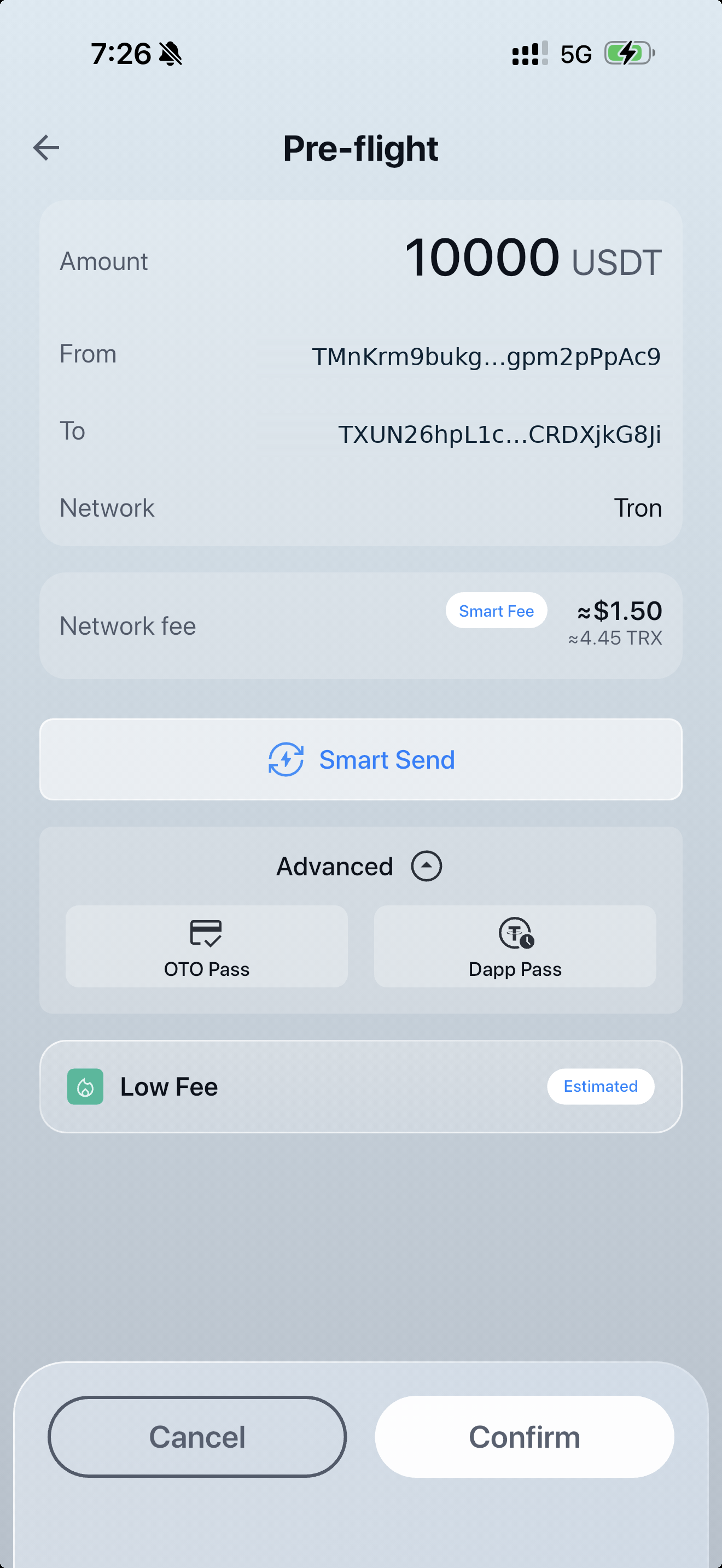
Smart Send requires TRX and can help reduce network costs. The customer reviews the estimated fee and transaction details before signing.
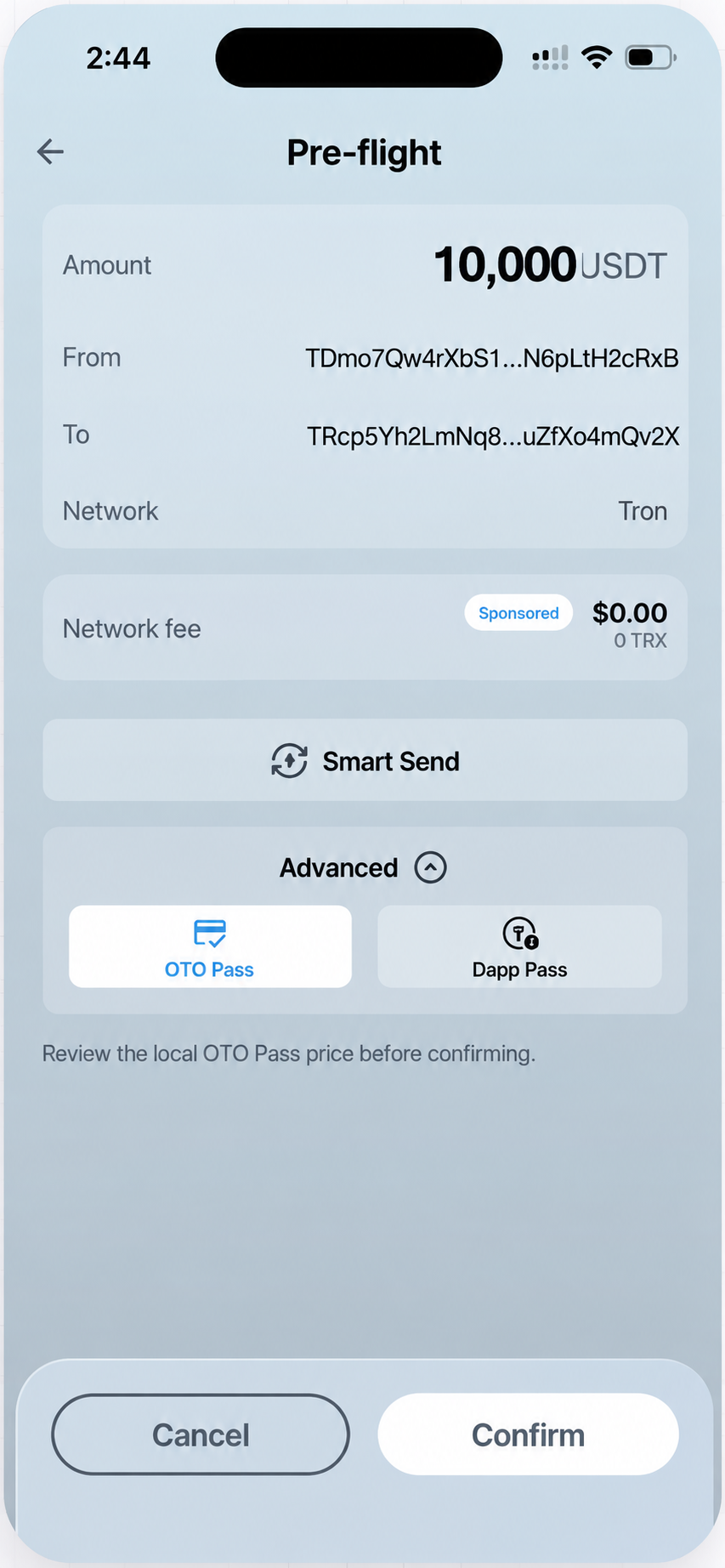
For an eligible transfer, the customer can choose OTO Pass as a separate Coinductor interaction and approve the wallet transfer without first obtaining TRX elsewhere.
Smart Send requires TRX. Smart Send savings vary by transaction, route availability and network conditions. OTO Pass is a separately purchased, single-use software feature; eligibility, availability, wallet activation requirements and local purchase price may vary.
Customers choose on your website, open the payment request in Coinductor and approve the transfer. Your website checks the payment result and updates the order.
The website manages the purchase. Coinductor presents the wallet request. Your website updates the order only after it verifies the transaction result.
Your platform sends supported transaction details for review and receives the status needed to manage its order flow.
USDT moves directly from the customer wallet to the merchant-designated address. Coinductor does not provide merchant settlement.
Private keys and recovery phrases must never be entered into your website or shared with Coinductor. The customer reviews and approves the transaction in their wallet. This reduces the need to build key-handling or customer-funds custody into the integration.
Connect your checkout to Coinductor so supported transaction details arrive in the customer’s wallet for review and approval.
A wallet connection allows supported communication with the customer’s wallet. It does not authorize a payment. Create a new, specific transaction request for every checkout.
Plan for approval, rejection, expiry, cancellation, duplicate requests, submission, network failure and confirmation before updating the order.
Domain validation helps the customer understand where a supported request came from. It does not certify your company, products or regulatory status.
Your platform remains responsible for matching the transfer to the correct order and deciding how many network confirmations are required.
Public API documentation is being prepared, and integration availability is confirmed individually. Technical compatibility, security requirements and applicable merchant obligations must be reviewed before launch.
Tell us about your customer journey, supported market and transaction flow. We’ll confirm whether the current integration can support your use case.